
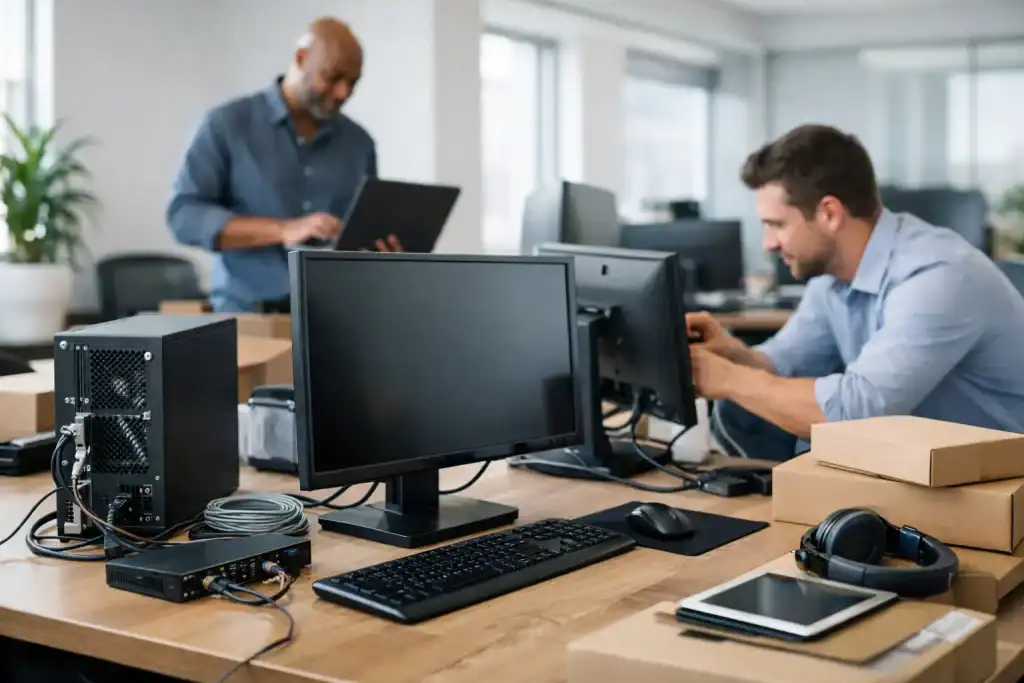
The lease is signed, furniture is scheduled, and your team is ready to move. Then someone asks whether the internet installation is confirmed, where the network equipment will sit, or how new staff will access files on day one. New office IT setup services exist to prevent that last-minute scramble and give your business a workspace that is ready to work when your people arrive.
For a small or midsized business, an office move is more than a change of address. It is a chance to correct recurring technology frustrations, improve security, and create an environment that supports the next stage of growth. It can also expose gaps that were easy to overlook when everyone was working around old equipment.
What New Office IT Setup Services Should Cover
A proper office IT setup starts well before the moving trucks arrive. The goal is not simply to plug in computers. It is to understand how your team works, what needs to be available immediately, and which technology decisions will affect reliability for years.
That begins with an assessment of users, devices, applications, phone requirements, printers, meeting rooms, internet options, and security needs. A ten-person professional services firm has different priorities than a retail operation, construction company, or multi-location business. The right plan should fit the work, not force your company into a generic package.
At minimum, new office IT setup services typically coordinate the network, Wi-Fi, computers, user accounts, email access, shared files, printing, phone systems, backups, and endpoint security. They should also account for physical details that are surprisingly easy to miss: cable pathways, equipment placement, electrical needs, locked network cabinets, and sufficient wireless coverage across the actual workspace.
A provider that understands both technology and business operations will ask practical questions early. Will visitors need separate Wi-Fi? Are staff working partly from home? Does the business handle sensitive client data? Is the new office expected to add people within the next year? These answers shape the setup far more than a list of hardware models does.
Plan the Network Before Construction Is Finished
The best time to make network decisions is before walls are closed, furniture is installed, or desks are occupied. Retrofitting cabling after move-in is possible, but it is usually more disruptive and expensive.
A wired network still matters for devices that need dependable performance, such as desktop computers, printers, access points, security cameras, and conferencing equipment. Wi-Fi is essential too, but it should complement a well-planned wired foundation rather than carry every business-critical device by default.
Internet service deserves the same attention. Availability, installation lead times, upload speeds, contract terms, failover options, and static IP requirements can differ substantially by building. A cheaper connection may be fine for a small team that works mostly in cloud applications. A business that relies on large file transfers, cloud phones, video meetings, or remote access may need more capacity and a backup connection.
It depends on the cost of an outage. If losing internet for half a day means staff cannot serve customers or process orders, an alternative connection can be a sensible investment. If the impact is limited and the budget is tight, a documented contingency plan may be enough. The important part is making that decision deliberately instead of discovering the risk during a service interruption.
Wi-Fi Should Be Designed for People, Not Floor Plans
Wireless access points placed wherever a cable happens to be available can create dead zones, dropped calls, and inconsistent speeds. Office layout, walls, meeting rooms, appliances, neighboring networks, and the number of connected devices all affect performance.
A thoughtful design separates employee and guest access, uses secure authentication, and places access points where coverage is actually needed. It also considers future use. A quiet office today may add more staff, mobile devices, or video conferencing rooms later. Planning for reasonable growth costs less than rebuilding the wireless network after complaints begin.
Get Devices and Accounts Ready Before Day One
New computers should arrive configured, updated, encrypted, and assigned to the right person. Employees should not spend their first morning waiting for software installs, resetting passwords, or trying to find shared folders.
That means setting up user accounts, email, multifactor authentication, business applications, printer access, and permissions in advance. Each employee should receive only the access they need to do their job. This approach reduces confusion and helps protect confidential information if a device is lost or an account is compromised.
Standardizing devices can make ongoing support much easier. When laptops have similar specifications, operating systems, security settings, and management tools, issues can be resolved faster and replacement planning is clearer. Standardization does not mean every employee needs the exact same computer. A designer, accountant, and field manager may require different equipment, but those choices should be intentional and supportable.
It is also worth confirming who owns which subscriptions, domains, internet accounts, and vendor logins. Too many businesses discover that a former employee registered a critical service under a personal email address. During a move, document administrative access and keep it under business control.
Build Security Into the New Office IT Setup
A new location is an ideal moment to improve security without creating unnecessary disruption. Security should be part of the build from the beginning, not an extra layer added after every device is connected.
Start with secure account practices. Multifactor authentication, strong password management, controlled administrator access, and a clear process for adding or removing users go a long way. Managed endpoint protection, regular updates, encrypted laptops, and monitored backups add important safeguards against ransomware and data loss.
The office network should also separate business devices from guest access and, where appropriate, isolate devices such as cameras, smart TVs, or building systems. These devices can be useful, but they should not have unrestricted access to sensitive business data.
Physical security matters as well. Network equipment should be placed in a protected area, not under an open reception desk or in an unlocked storage room. A small investment in a proper cabinet, battery backup, and labeled cabling can save hours when troubleshooting is needed later.
Coordinate Vendors So Nothing Falls Through the Cracks
Office technology projects often involve several parties: the landlord or property manager, internet provider, cabling contractor, furniture installer, phone vendor, security provider, and software providers. Each may complete their own portion of the job while assuming someone else is handling the rest.
That is where an experienced IT partner adds real value. Coordination creates a single technical plan and a clear sequence of work. Internet needs to be active before the firewall and Wi-Fi can be tested. Cabling needs to be complete before desks and equipment are deployed. Phones and meeting-room tools need testing before staff depend on them.
A practical move plan also includes a fallback option. Not every installation happens exactly on schedule. Having temporary connectivity, spare equipment, current backups, and a prioritized list of day-one users can keep a delay from becoming a shutdown.
For businesses across the GTA, local onsite support can be especially helpful when a move requires someone to assess the space, communicate with contractors, or solve a physical setup issue that cannot be handled remotely. Carsonix approaches these projects as a partnership: we manage your technology, so you can keep managing your business.
Test the Office Like a Busy Workday
A network that powers on is not necessarily ready for business. Before the office opens, test the experience your employees and customers will actually have.
Can staff sign in from their assigned computers? Do they have access to the applications and files required for their roles? Are video calls clear in meeting rooms? Can a guest connect to Wi-Fi without reaching internal resources? Do printers work from the right devices? Does a backup complete successfully? Can remote employees access what they need securely?
Testing should include the less obvious situations too. Confirm what happens if the internet connection fails, a laptop is misplaced, or a new employee needs access quickly. The goal is not to anticipate every possible problem. It is to remove predictable friction before it affects a client meeting, payroll deadline, or busy workday.
Treat Move-In Day as the Start of Ongoing Support
An office setup is a project, but technology care does not end when the boxes are unpacked. Devices need updates, employees need help, security alerts need attention, and the business will continue to change.
That is why ongoing proactive management is often more valuable than waiting for issues to become urgent. Regular monitoring, patching, backup checks, and responsive support help keep the new office dependable after the excitement of the move has passed. Flexible monthly support also gives growing businesses room to adjust as their needs change.
A well-prepared office gives your team a calmer first day and gives leadership fewer technology surprises to manage. Start early, make decisions based on how your business operates, and work with people who will still be there after move-in day. Let us bring you peace of mind while your new office gets down to business.
Not sure what managed IT would look like for your business?
Book a Free Consultation